Live webcam sites are online platforms where viewers can watch real-time video broadcasts from independent models and creators. Unlike recorded videos, live cam rooms happen in the moment, allowing viewers to discover who is currently online and interact with broadcasts as they unfold.
These platforms combine live streaming, searchable model directories, categories, profiles, and interactive features. Some visitors arrive looking for a particular type of room, while others prefer to browse trending models, explore creators from different countries, or simply see who is live right now.
This beginner-friendly guide explains what live webcam sites are, how they work, what features they usually provide, and how viewers can navigate them more efficiently.
What Is a Live Webcam Site?
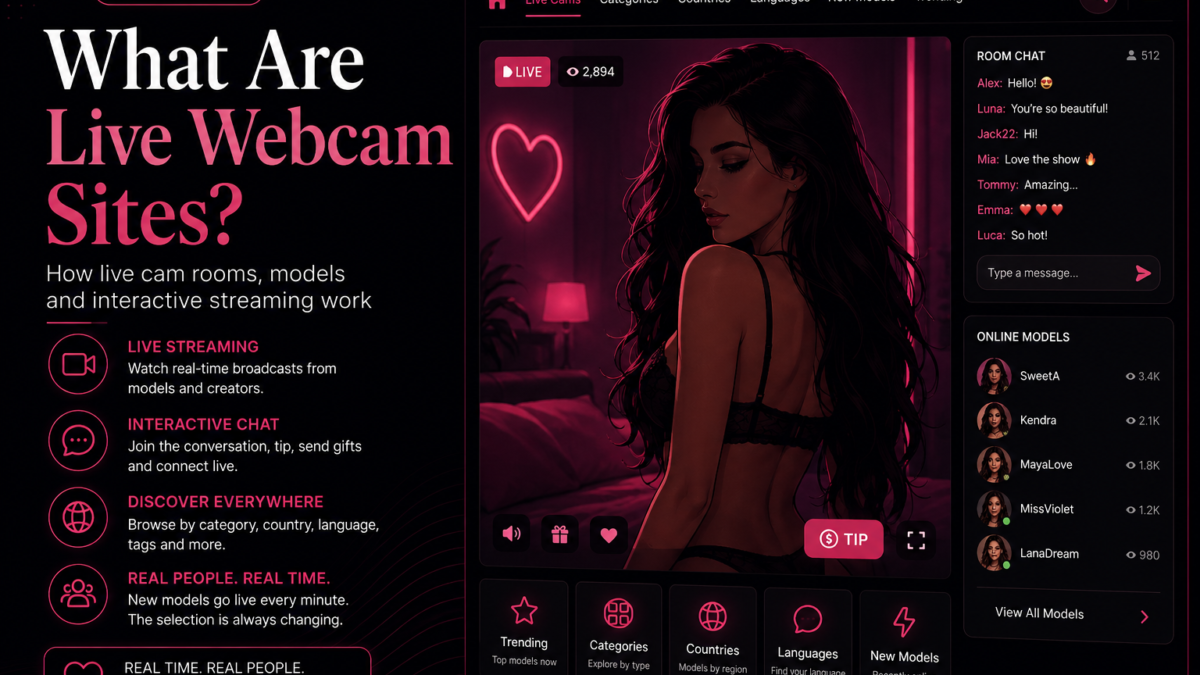
A live webcam site is a streaming platform built around real-time broadcasts. Models transmit live video from a webcam, phone, or other compatible device, while viewers watch through a browser or mobile interface.
The central feature is the live room. Each room usually belongs to a specific model or group of performers and may include:
- A real-time video player
- A public chat area
- Information about the model
- Viewer and popularity indicators
- Categories, tags, languages, or country information
- Links to additional content or private experiences
Because the broadcasts are live, the selection changes continuously. A model visible in the morning may be offline later, while new rooms can appear at any time.
How Do Live Webcam Sites Work?
Live webcam platforms generally connect three main components: the broadcaster, the streaming infrastructure, and the viewer.
The model sends a video stream to the platform. The platform processes and distributes that stream through its servers or content delivery network. Viewers then access the broadcast through an embedded player inside a web page or application.
From the viewer’s perspective, the process is simple:
- Open a live webcam platform or directory.
- Browse the models currently online.
- Choose a room, category, country, or language.
- Open the live player.
- Watch the stream or use the available interactive features.
The technical process behind the scenes is more complex, but modern platforms are designed to make live streaming feel immediate. In most cases, the viewer only needs a recent web browser and a reliable internet connection.
Public Rooms and Interactive Features
Many webcam models begin in a public room that can be viewed by multiple people simultaneously. Public rooms help viewers understand the model’s style, presentation, language, and general atmosphere before deciding whether to interact further.
Depending on the original platform, a room may include interactive options such as:
- Public chat messages
- Tips or virtual gifts
- Private or group sessions
- Goals and interactive games
- Model follow or favorite tools
- Notifications for future broadcasts
Not every directory displays all of these functions directly. Some sites focus on discovery and then send the viewer to the original webcam platform when they want to open the complete room.
How Models Are Organized
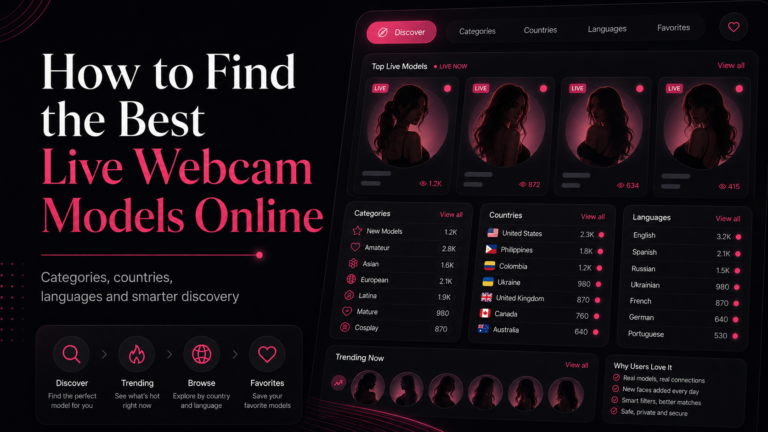
A large live webcam site may contain hundreds or thousands of active rooms. To make this manageable, platforms organize models using several types of filters.
Categories
Categories group rooms according to broad interests, presentation styles, or creator types. They are one of the fastest ways to narrow a large directory and avoid scrolling through unrelated broadcasts.
You can begin exploring available sections from the webcam categories directory.
Countries
Country filters help viewers discover models from different regions. These pages can be useful when looking for particular time zones, cultural backgrounds, or local communities.
Country information is not always exact because models may choose what they display publicly, but it remains a useful discovery tool on many platforms.
Languages
Language filters are especially valuable on interactive webcam sites. Watching a stream is possible without conversation, but a shared language can make chat and other interactions easier.
Some models speak several languages, while others primarily use their native language or communicate through short translated messages.
Tags and attributes
Tags provide a more detailed way to explore live rooms. Depending on the platform, they may describe appearance, broadcast style, interests, room type, or other characteristics.
Tags can be useful, but very narrow tag archives sometimes contain fewer active rooms than broader categories. Starting with a general category and refining from there is often more effective.
Why the Available Models Keep Changing
Live webcam directories are dynamic because broadcasters choose when to go online. There is no fixed daily catalog containing the same models in the same positions.
The available selection can change because of:
- Different time zones
- Personal broadcast schedules
- Models starting or ending a session
- Temporary connection issues
- Platform updates and availability checks
- Changes in popularity or viewer activity
This is why live directories need to refresh their data frequently. A room marked as online should ideally be removed or updated soon after the broadcast ends.
How Trending and Popular Models Are Selected
Many live webcam sites include trending, popular, or most-viewed sections. These rankings can be calculated using signals such as current viewers, recent traffic, engagement, or activity.
A high position does not necessarily mean that a model is the right choice for every viewer. Popular sections are useful for seeing what currently attracts attention, but categories and country filters can reveal creators who are less visible on the main page.
For broader discovery, it is useful to combine several approaches:
- Check currently popular rooms.
- Explore a category you have not visited before.
- Browse models by country or language.
- Look at recently added or newly online creators.
- Use short-form content to discover unfamiliar profiles.
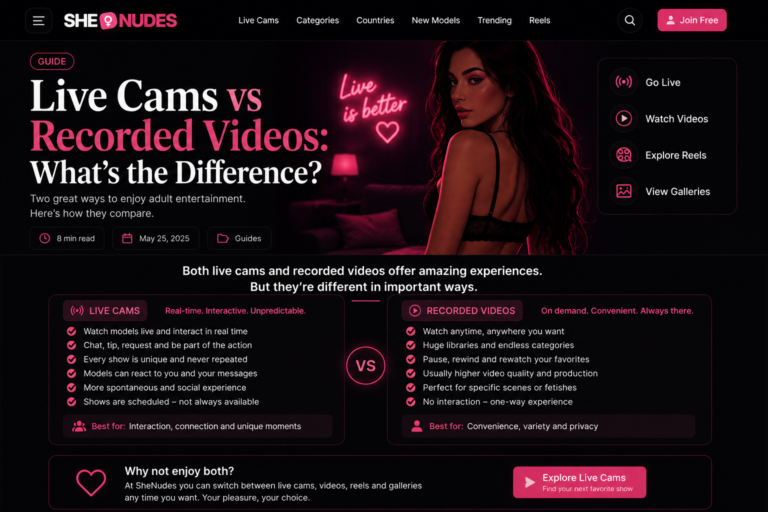
Live Cams Compared With Recorded Videos
The main difference between a live cam and a recorded video is timing.
A recorded video can be watched whenever the viewer chooses. It has already been created, edited, uploaded, and stored. A live cam is happening at the time it is viewed, which gives the experience a more immediate and unpredictable quality.
Live streams are generally better for:
- Real-time interaction
- Seeing who is currently available
- Spontaneous and changing broadcasts
- Discovering active creators
Recorded content is generally better for:
- Watching at any time
- Pausing and returning later
- Browsing a stable archive
- Finding a specific clip or subject
On SheNudes, you can move between live webcam models, recorded videos, short-form reels, and image galleries depending on the browsing experience you prefer.
How Short-Form Reels Help With Discovery
Live webcam grids are useful, but they usually rely on static preview images. Short-form reels offer a different way to discover content by showing motion immediately.
A brief GIF or MP4 video can reveal more about visual style and presentation than a single thumbnail. Viewers can move quickly between clips and then continue exploring the rest of the site when something catches their attention.
Reels are particularly useful for casual browsing because they display one item at a time. This reduces visual clutter and makes the experience feel natural on both desktop and mobile devices.
You can open the vertical Reels feed to explore short clips from multiple sources.
Do You Need an Account to Watch Live Cams?
Many webcam platforms allow visitors to browse public rooms without immediately creating an account. However, registration may be required for interactive features such as sending messages, following models, using virtual credits, or entering private sessions.
The exact requirements depend on the original provider. A webcam directory may let users explore models freely while redirecting them to the provider when an account-based feature is selected.
Before registering, users should review the platform’s terms, privacy information, payment rules, and age requirements.
Are Live Webcam Sites Mobile Friendly?
Most modern webcam platforms are designed to work on smartphones and tablets as well as desktop computers. Mobile interfaces typically use responsive video players, touch-friendly controls, and smaller navigation menus.
For a better mobile experience:
- Use a current browser.
- Connect to a reliable Wi-Fi or mobile network.
- Close unnecessary background applications.
- Use fullscreen mode when available.
- Keep the device orientation that best fits the stream.
- Be aware that live video can consume significant mobile data.
Vertical short-form videos are especially suited to phones, while traditional webcam rooms may provide a larger player and additional controls on desktop screens.
How to Browse Live Webcam Sites More Efficiently
Opening the first room on a homepage is not always the best way to find relevant models. A structured approach can make large directories easier to use.
Start with a broad category
Choose a general category that matches what you want to explore. This immediately removes many unrelated rooms.
Check who is online now
Live availability matters. A detailed profile is not useful if the model is currently offline and you want a real-time stream.
Use country and language filters
These filters can improve communication and help identify broadcasts taking place during suitable hours.
Compare popular and recently added models
Popular rooms show what is attracting viewers now, while newer sections can introduce less established creators.
Save interesting models
When a platform provides favorites or bookmarks, use them. Live schedules change, and a creator may not be online the next time you visit.
Explore more than one content format
Live rooms, recorded videos, galleries, and reels provide different ways to discover creators. Moving between formats is often more effective than repeatedly browsing the same homepage grid.
Privacy and Safe Browsing
As with any interactive online service, viewers should pay attention to privacy and account security.
Basic precautions include:
- Use a unique password for each platform.
- Do not share private personal information in public chat.
- Review payment details before confirming a purchase.
- Check whether subscriptions renew automatically.
- Avoid downloading unknown files or browser extensions.
- Use official payment and communication systems.
- Read the platform’s privacy policy and terms.
Viewers should also remember that live models are real people. Respectful communication and compliance with room rules create a better experience for everyone involved.
What Makes a Good Live Webcam Platform?
The best platform depends on what the viewer values, but several qualities generally improve the experience:
- A large and regularly updated selection of online models
- Clear categories and useful filters
- Responsive video playback
- Transparent pricing and account information
- Mobile compatibility
- Reliable privacy and security controls
- Easy navigation between models
- Accurate online and offline information
A platform does not need every possible feature. It needs to make discovering and opening suitable live rooms simple, fast, and understandable.
Frequently Asked Questions
What is the purpose of a live webcam site?
A live webcam site connects viewers with creators broadcasting video in real time. It usually provides a directory of online rooms along with search, categories, profiles, and interactive features.
Are live cams the same as video calls?
No. Public live cam rooms are broadcasts that may be watched by multiple viewers. A video call is usually a direct communication session between a smaller number of participants.
Why do some live models suddenly disappear?
Models can end their broadcasts at any time. Connection issues, schedule changes, provider updates, or delayed directory data can also make a room temporarily unavailable.
Can live webcam sites be used on a phone?
Yes. Most current platforms support mobile browsers, although the available controls and layout may differ from the desktop version.
How can I find models who speak my language?
Use the platform’s language, country, or profile filters. Keep in mind that some creators speak multiple languages even when only one is displayed in the directory.
What is the difference between a webcam directory and a webcam provider?
A provider hosts the original broadcasts and interactive services. A directory organizes models from one or more providers and helps viewers discover relevant rooms before opening the complete stream.
Start Exploring Live Webcam Models
Live webcam sites combine real-time streaming with searchable directories and interactive rooms. Their constantly changing selection is what separates them from traditional video archives.
New visitors can begin with broad categories, explore countries and languages, compare popular rooms, and use alternative formats such as videos, galleries, and reels to discover unfamiliar creators.
The most effective approach is to experiment with different discovery tools rather than relying on a single homepage or ranking.
Discover who is live now
Browse online webcam models, explore categories, or use Reels to find something new.Explore Live Cams